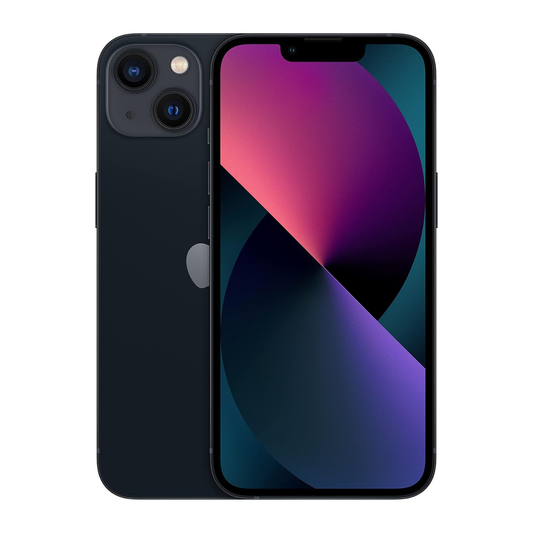

Best Places to Buy an iPad for Students
Choosing the right tablet for school or everyday learning involves more than just screen size and price. Students need a device that is easy to carry, responsive for everyday tasks, comfortable for reading, and capable of handling notes, research, online classes, documents, and entertainment. The iPad 11th Gen with the A16 chip is a practical choice for students who want a good balance of performance, portability, and everyday usability.
The device features an 11-inch Liquid Retina display, A16 chip, USB-C connectivity, Wi-Fi 6, and storage options starting at 128GB. Its 477-gram Wi-Fi model also makes it convenient to carry between home, class, the library, and other study locations.
For Canadian students, the buying decision should also take into account storage, Wi-Fi requirements, condition, pricing, and where the device is purchased. If you are looking for an iPad for Students that can support both academic and personal activities, the iPad 11th Gen WiFi Only is worth considering.
Why the iPad 11th Gen Works Well for Students
A good student tablet should support several activities without adding unnecessary complexity to everyday learning. Students may use a tablet to read digital textbooks, search for information, prepare assignments, join online lessons, create presentations, take notes, manage files, and watch educational videos.
The iPad 11th Gen is designed around this type of everyday use. Its A16 chip delivers enough processing power for multitasking and common productivity activities, while the 11-inch display offers enough space for reading documents, browsing websites, viewing presentations, and watching lessons.
For students who want one portable device for study and entertainment, this combination can make the iPad 11th Gen a useful choice.
A16 Performance for Everyday Academic Tasks
Performance is important when choosing a tablet for education. Students frequently switch between a browser, notes, documents, video lessons, calculators, communication tools, and other applications.
The A16 chip includes a 5-core CPU, 4-core GPU, and 16-core Neural Engine. This provides a strong foundation for everyday productivity, web browsing, document editing, media consumption, and other common tablet activities.
For an iPad for Students, the benefit is not simply having a fast processor. It is having enough performance to keep everyday study activities responsive as students move between different tasks.
11-Inch Display for Reading and Learning
Screen size can make a noticeable difference when reading course materials or working on assignments. The 11-inch Liquid Retina display provides a useful balance between viewing space and portability.
Students can use the screen for:
-
Reading PDFs and digital textbooks
-
Viewing lecture materials
-
Researching online
-
Reviewing presentations
-
Watching educational videos
-
Organizing study notes
-
Reading articles and reference material
The display has a 2360-by-1640 resolution and supports True Tone, which can make the viewing experience more comfortable across different environments.
Portable Enough for Daily Student Use
Students often move between classrooms, libraries, homes, cafés, and study spaces. A tablet that is easy to carry can be more convenient than relying on a larger computer for every task.
The Wi-Fi model weighs approximately 477 grams and measures 248.6 × 179.5 × 7 mm.
This makes it suitable for students who want a portable study device that can fit easily into a backpack without adding excessive weight.
Useful for Note-Taking and Digital Study
Digital note-taking can help students keep class materials, research, documents, and personal notes organised in one place. The device supports compatible stylus accessories, allowing students to write, annotate documents, sketch ideas, and mark up study materials.
A student can use a tablet for handwritten notes, typed assignments, document review, and reading without needing several separate devices.
What Students Can Use It For
The iPad 11th Gen can support a wide range of everyday student activities, including:
-
Online classes
-
Research and web browsing
-
Digital note-taking
-
Assignment preparation
-
Presentation work
-
Reading eBooks and PDFs
-
Video lessons
-
Email and communication
-
Calendar and task management
-
Streaming and casual entertainment
This versatility is one reason the device can work well as an iPad for Students who want a single device for learning and personal use.
How Students Can Use the iPad 11th Gen
The iPad 11th Gen can be a practical choice for students who need one device for both academic and everyday tasks. Its portable design makes it easy to carry between home, campus, and study spaces, while the large display offers a comfortable viewing experience for reading course materials, browsing the web, attending online classes, and working on assignments. Students can also use it to take digital notes, review PDFs, watch educational videos, manage schedules, and stay connected through email and other communication tools. For students looking for a versatile iPad for students, it offers a convenient balance of learning, productivity, and entertainment in one device.
Battery and Connectivity for Study Sessions
Battery life is another consideration for students who spend several hours away from a power outlet. The device has a built-in 28.93-watt-hour rechargeable battery, with up to 10 hours of web surfing over Wi-Fi or video playback under Apple's stated testing conditions.
The Wi-Fi model also supports Wi-Fi 6 and Bluetooth 5.3.
For students who normally have access to Wi-Fi at home, school, or public study spaces, a Wi-Fi-only model can be a straightforward choice.
How Much Storage Does a Student Need?
Storage requirements depend on how the device will be used.
A student who mainly uses cloud storage, web applications, documents, and streaming may find 128GB sufficient for everyday needs. Students who keep larger collections of downloaded videos, photos, documents, creative projects, or applications may benefit from choosing more storage.
The current generation is available with 128GB, 256GB, and 512GB capacities, giving buyers several options depending on their needs.
For most students, it is better to consider long-term use rather than choosing storage based solely on their current needs.
Where to Buy iPad 11th Gen in Canada
If you are researching where to buy iPad 11th Gen in Canada, do not compare sellers based on price alone. Consider the device's condition, storage capacity, included accessories, inspection process, return terms, shipping, and the exact configuration being offered.
For Canadian buyers, choosing a seller that clearly describes the product’s condition and specifications can make the buying process easier.
The iPad 11th Gen WiFi Only available through need-a-phone.ca provides a Canadian purchasing option with product details, condition selections, storage options, inspection information, and Canada-wide shipping.
Best Places to Buy iPad 11th Gen in Canada
When comparing the best places to buy iPad 11th Gen in Canada, look for clear product information rather than relying on a low headline price.
Before purchasing, check:
-
Exact storage capacity
-
Wi-Fi or cellular configuration
-
Cosmetic condition
-
Battery information
-
Included accessories
-
Device testing
-
Return terms
-
Shipping availability
-
Current selling price
These details help you understand the actual value of a particular listing.
This is especially important for students because the device may become part of their everyday academic routine. A clear product description can help them choose a configuration that matches their study habits and budget.
Why the Wi-Fi-Only Model Can Make Sense for Students
Many students already have regular Wi-Fi access at home, school, libraries, and other study locations. In those situations, a Wi-Fi-only tablet can provide the connectivity needed for browsing, online learning, cloud services, and video calls without requiring cellular connectivity.
The Wi-Fi model supports Wi-Fi 6 and Bluetooth 5.3.
However, students who frequently study where Wi-Fi is unavailable should consider their connectivity needs before purchasing a Wi-Fi-only configuration.
What Makes This a Practical Student Tablet?
A practical student tablet should be easy to carry, comfortable to use for extended reading, responsive during multitasking, and flexible enough to handle both academic and personal activities.
The iPad 11th Gen combines these qualities with an 11-inch display, A16 chip, USB-C connectivity, and a range of storage choices.
For students who primarily need a device for studying, research, note-taking, documents, communication, and entertainment, it offers a balanced everyday experience.
Conclusion
Before buying an iPad for Students, think about how you actually plan to use the device. If your main activities include browsing, reading, digital notes, online classes, assignments, and media consumption, the iPad 11th Gen offers a capable combination of features.
You should also choose the storage capacity carefully and decide whether Wi-Fi-only connectivity fits your daily routine. For Canadian buyers, comparing condition, specifications, included accessories, pricing, and seller information can help you make a more informed purchase.
Frequently Asked Questions
Is the iPad 11th Gen good for students?
Yes. Its A16 chip, 11-inch display, portability, and Wi-Fi connectivity make it suitable for reading, research, online classes, note-taking, documents, and everyday entertainment.
Is 128GB enough for a student?
For students who mainly use cloud storage, web applications, documents, and streaming, 128GB can be enough. Students storing many large files, videos, photos, or creative projects may prefer more storage.
Can students use the iPad 11th Gen for online classes?
Yes. The device includes a landscape 12MP Center Stage front camera and supports video calling over Wi-Fi, making it suitable for online classes and virtual meetings.
Can the iPad 11th Gen be used for note-taking?
Yes. The device supports compatible stylus accessories and can be used for handwritten notes, document annotation, drawing, and digital study materials.
Is the iPad 11th Gen good for reading PDFs and textbooks?
Yes. The 11-inch Liquid Retina display provides a useful viewing area for PDFs, digital textbooks, research articles, presentations, and other study materials.
Where can I buy an iPad 11th Gen in Canada?
Canadian buyers can compare available configurations through need-a-phone.ca, including the iPad 11th Gen WiFi Only listing with its available condition and storage options.
How long does the iPad 11th Gen battery last?
The stated battery performance is up to 10 hours of web surfing over Wi-Fi or video playback, depending on usage and testing conditions.
What should students check before buying an iPad 11th Gen?
Students should check storage capacity, Wi-Fi connectivity, product condition, battery information, included accessories, current price, return terms, and shipping details before purchasing.