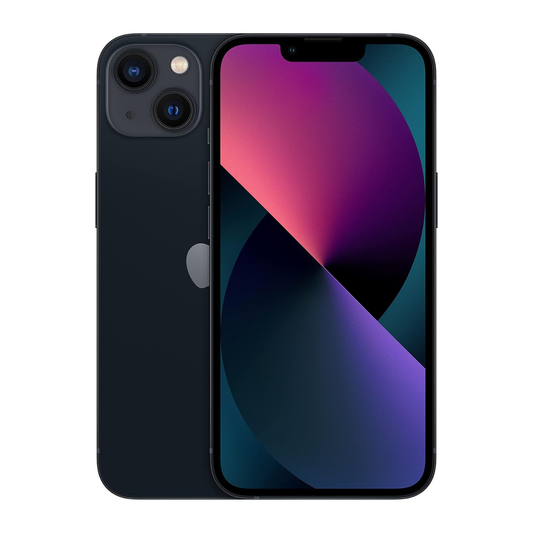

Face ID vs Touch ID: Which Is Better?
Choosing the right way to unlock your iPhone can make everyday tasks easier while helping protect your personal information. Apple offers Face ID on models such as the iPhone 11, iPhone 12, iPhone 13 and iPhone 14, while the iPhone SE (2020) and iPhone SE (2022) use Touch ID. Both methods provide convenient alternatives to entering a passcode, but they work differently and have their own advantages.
When comparing Face ID vs Touch ID, the most important factors are security, convenience, privacy and how you use your device. One option may be more practical when your hands are busy, while the other can be useful when you prefer a physical sensor.
For Canadians choosing a new phone or making better use of their current device, understanding these differences can help you make an informed decision.
Which Is More Secure: Face ID or Touch ID?
Both facial recognition and fingerprint authentication are designed to protect your device from unauthorized access. However, their security depends on how the technology works, how it responds to different situations and whether you follow good security practices.
Facial recognition analyses characteristics of your face, while fingerprint authentication checks the unique patterns of your fingerprint. Each method uses biometric information to verify that you are an authorised user.
Neither option is completely immune to every possible attack. Your device's security settings, passcode strength and physical security also play important roles.
The two methods also have different published false-match estimates. These estimates describe the likelihood of incorrectly matching an unauthorised biometric sample under specified conditions. They should not be treated as a complete measure of security against every type of attack.
For most everyday users, either properly configured biometric method can offer strong protection. The best choice depends on your device, personal preferences and typical usage.
How Face ID Security Works
Face ID uses a TrueDepth camera system and specialised sensors to analyse facial features on compatible iPhones, including the iPhone 11, iPhone 12, iPhone 13 and iPhone 14.
When you attempt to unlock your phone, the system compares the captured facial information with the enrolled data. If the match meets the required security criteria, access is granted.
This process can also support authentication for compatible apps and payments, depending on the device and the services you use.
Several security features help reduce the risk of unauthorised access:
- Facial analysis: The system evaluates facial characteristics rather than relying only on a conventional photograph.
- Attention detection: Supported devices can check whether you are looking at the screen before unlocking.
- Protected biometric storage: Biometric information is securely processed and protected by dedicated security hardware.
- Passcode fallback: A passcode remains available When biometric authentication is unavailable or additional verification is required.
These features make facial recognition practical for everyday use without requiring you to touch a sensor each time you unlock your phone.
How Touch ID Security Works
Touch ID uses a fingerprint sensor to recognise the unique patterns of your finger. On the iPhone SE (2020) and iPhone SE (2022), the sensor is integrated into the Home button.
The system verifies the fingerprint against the enrolled data and unlocks the device if the fingerprint matches.
Fingerprint authentication offers several practical benefits. You can unlock a compatible phone by touching the sensor, which can be convenient when the device is resting on a desk or when you prefer not to use facial recognition.
However, a fingerprint sensor can be affected by moisture, dirt, damaged screen or an obstructed sensor. These conditions may make authentication less reliable until the issue is resolved.
Like facial recognition, fingerprint authentication should be used alongside a strong passcode. Biometric security is an additional layer of protection, not a reason to ignore other device security settings.
When buying a pre-owned device, it is also important to know how to spot a fake refurbished iPhone before making a purchase.
Facial Recognition and Attention Awareness
Attention awareness is an important part of facial authentication on supported devices. It helps determine whether you are actively looking at your phone before the system allows access.
This feature reduces the likelihood of accidental unlocking when the device is facing you but you are not paying attention to it.
For example, if your phone is sitting on a table while you are speaking with someone, attention detection can help prevent it from unlocking simply because your face is within the camera's view.
The exact behaviour depends on the device and its settings. Some accessibility options may also change how attention detection works.
If you use facial recognition regularly, it is worth reviewing your security and accessibility settings to understand which features are enabled.
How Attention Detection Helps Prevent Unintended Unlocking
Attention detection adds a further check to the authentication process. Instead of relying only on a facial match, a supported device can assess whether your eyes are open and directed towards the screen.
This can help reduce unintended unlocking in everyday situations. It may also support additional privacy-related behaviour, such as keeping certain screen interactions responsive to your attention.
However, attention detection is not a guarantee that nobody else can access your device. It is one part of a wider security system, and its operation can vary with device settings and accessibility requirements.
For stronger protection, use a passcode that others cannot easily guess, keep your operating system updated and avoid leaving an unlocked device unattended.
When a Passcode Is Required Instead
Biometric authentication does not replace your passcode. Your device may require you to enter the passcode after restarting, following multiple unsuccessful authentication attempts or when certain security conditions apply.
A passcode may also be necessary when changing particular security settings or when the device needs to confirm your identity again.
This fallback is important because it ensures that biometric authentication is not the only way to access your device. A strong, unique passcode helps protect your personal information when facial or fingerprint recognition is unavailable.
Choose a passcode that is difficult to guess, avoid sharing it and be mindful of who can see you enter it in public places.
Face ID vs Touch ID: Which Is More Convenient?
Convenience often depends on which iPhone you use and how you handle it throughout the day.
On models such as the iPhone 13 and iPhone 14, Face ID lets you unlock your device without touching a fingerprint sensor.
By comparison, the iPhone SE (2022) uses Touch ID, allowing you to unlock the phone by placing your registered finger on the Home button.
Fingerprint authentication can be convenient when your phone is lying flat on a desk and the sensor is easy to reach. However, you generally need to directly touch the sensor, and gloves or moisture may interfere with recognition.
Consider your daily habits before deciding which option suits you best. If you frequently use your phone while carrying groceries, for instance, hands-free authentication may be helpful. If you prefer unlocking your device by touch, fingerprint recognition may feel more natural.
Which Option Offers Better Privacy?
Both biometric methods can be designed to protect your information without routinely sending your biometric data to an external server for authentication.
On supported devices, biometric representations are stored in protected on-device security systems. This helps reduce exposure of sensitive information.
Still, privacy involves more than biometric storage. Your passcode, notification settings, app permissions and the way you handle your phone all affect how well your personal information is protected.
If privacy is a priority, review your device's security settings, enable automatic updates and use a strong passcode. You should also check which apps have access to sensitive information.
For more practical phone security advice and buying guidance, need-a-phone.ca can be a useful starting point when researching your options.
Pros and Cons of Face and Fingerprint Authentication
Each method has strengths and limitations worth considering.
Facial recognition advantages:
- Convenient hands-free unlocking.
- Works in darkness on compatible devices.
- No need to locate or touch a fingerprint sensor.
Facial recognition limitations:
- Can be affected by certain facial coverings or changes in appearance.
- Requires a compatible camera and sensor system.
- May be less convenient when the phone is positioned outside the camera's view.
Fingerprint authentication advantages:
- Quick access through a physical sensor.
- Convenient when the phone is resting on a surface.
- Does not depend on lighting conditions.
Fingerprint authentication limitations:
- Requires contact with the sensor.
- Wet, dirty or injured fingers can affect recognition.
- Gloves can prevent direct sensor contact.
Neither method is the right choice for everyone. Consider security, comfort, device compatibility and accessibility before making your decision. If you are considering a refurbished iPhone, checking iPhone battery health is another important step before choosing your device.
Frequently Asked Questions
Is Face ID better than Touch ID?
Neither method is universally better. Facial recognition offers convenient hands-free access, while fingerprint authentication can be more practical when you prefer a physical sensor. Your device and daily habits will determine which works best for you.
Is facial recognition more secure than fingerprint authentication?
Both can provide strong security when implemented correctly. Published false-match estimates differ, but those figures alone do not establish which method is safer in every real-world situation.
Does facial recognition work in the dark?
Yes, on compatible devices that use infrared technology. Ordinary visible-light conditions are not required for this type of facial authentication.
Can fingerprint authentication work with wet fingers?
Moisture can interfere with fingerprint recognition. Drying your finger and cleaning the sensor may improve results.
Can someone unlock my phone using a photograph?
A conventional photograph is generally not sufficient to defeat a facial authentication system that uses depth information and additional security checks. However, no security technology should be considered completely invulnerable.
Do I still need a passcode?
Yes. Your device can require a passcode after a restart, following certain failed authentication attempts or under other security conditions. A strong passcode remains essential.
Which authentication method should I choose in Canada?
Your choice depends on your preferred unlocking method and the iPhone model you want. The iPhone 11, iPhone 12, iPhone 13, and iPhone 14 use Face ID, while the iPhone SE (2020) and iPhone SE (2022) use Touch ID. If you prefer facial authentication, compare compatible Face ID models; if you prefer fingerprint authentication, consider an iPhone with Touch ID.
If you are comparing refurbished models, learning about the best place to buy a refurbished iPhone in Canada can help you make a more informed decision.
Conclusion
The choice between facial recognition and fingerprint authentication ultimately depends on your priorities. Facial recognition is a strong option if you value hands-free convenience, while fingerprint authentication can be a better fit if you prefer a physical sensor and direct control over unlocking.
Both methods can offer robust protection when paired with a strong passcode and sensible security habits. Rather than choosing based on convenience alone, consider how each technology fits your lifestyle and the device you plan to use.
For Canadians comparing phone options, the best decision is the one that balances security, usability and comfort. Taking time to understand these differences can help you choose a device that works well for you every day.